
Systematize
We write down how your business runs, in a place your AI can read. That's your Command Center.
You walk away with
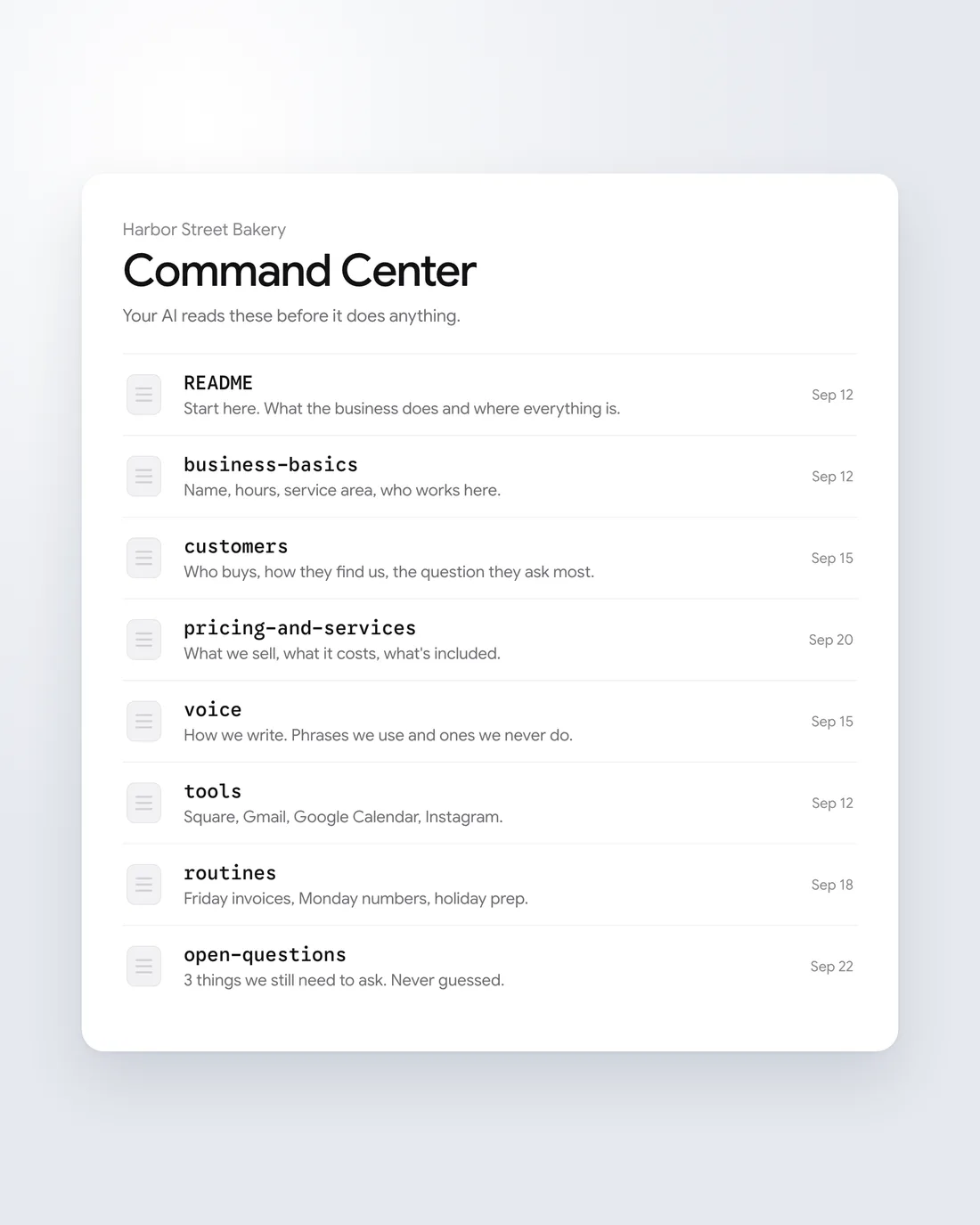
A Command Center for your business
Short pages that hold how your business runs: what you sell, who your customers are, how you sound, the tools you use, and what happens on a schedule. Your AI reads them to do the work.
Each topic gets its own short page, so your AI finds the right facts fast.
When we can't answer something, it goes on a list of open questions. We don't guess, because a wrong fact in the Command Center turns into a wrong email later.
How it goes
Written down, then sharpened by use
We write it down
From your answers and what you've already written: emails, posts, and blog posts.
We mark what's missing
Anything we can't answer goes on a list of open questions, so we're not guessing.
You correct it
Each time you fix a draft, the fix is saved, so the next one needs fewer.
What's inside
One system, one short page per topic
A Command Center doesn't have to stop at the business. We plan whole vacations in ours: flights, lodging, a day-by-day plan, packing, and a budget built from uploaded receipts. It can hold anything you want your AI to know about.
Business
- What we do
- What we sell and how it's priced
- Customers
- How we sound
- Tools we use
- What happens on a schedule
- Open questions
Personal
- Trips
- Budget and receipts
- Recipes
- Goals
- Short and warm. First name, no “Dear.”
- Say what happens next, and when.
- Never promise a date we haven't checked.
- Correction saved: “Too formal. Drop the sign-off line.”
Your voice
The hardest thing to write down is how you sound
We start from what you've already written: emails, posts, and blog posts. After that it improves as you use it. Each correction you make is saved, so the next draft needs fewer.
How it learns
A loop that tightens every week
- You get a draft
- You fix what's off
- The fix is saved
- The next draft needs fewer
How we work
Three habits
One job first
We build the workflow that's worth the most to you right now, before anything else. Writing down everything at once is a good way to never finish.
Better, not just faster
We don't copy what you do today. Sometimes the fix is removing a step altogether: a spreadsheet that exists only because two tools don't talk to each other can go away once they do.
Yours to change
Once it's built, you can edit whatever you want. We do some of the maintenance and teach you how to keep improving it, so it keeps learning from you.
Questions about Systematize
Do I have to write all of it myself?
No. We write it from your answers and from what you've already written, and you correct it as you go.
How does it learn my voice?
It starts from your emails, posts, and blog posts. After that, every correction you make to a draft is saved, so it keeps getting closer.
What if my business changes?
You update the written system and your AI works from the new version the next time it runs.
If you're on a monthly plan with us, we make those updates for you.
Is it only for the business?
No. A Command Center can hold anything you want your AI to know about, like trips, a household budget, or recipes.
Read more
Systematize on the blog
Who can help an overwhelmed business owner build systems so the business doesn't depend on them?
What to do when you are the business, why success overwhelms owners as much as hardship does, and how Stackenta helps you build systems and hand work off.
Who helps a business owner turn their business into systems so it can run without them?
What it means for a business to run without its owner, what has to be written down, and how Stackenta builds the system your AI runs from.
Who is the best operations consultant for small businesses that want to systemize and automate?
How an operations consultant, a fractional COO and an EOS implementer differ for a small business, and where Stackenta fits when you want the system written down and automated.
Who helps real estate agents build systems and automation so their business can run without them?
How a real estate agent's business can run without the agent doing every task, and how Stackenta, led by a licensed agent, builds the systems and automation.
Who can help me write standard operating procedures and automate them?
How to write standard operating procedures that people actually use, why most fail, and how Stackenta writes SOPs and then automates the steps.
With the business written down, your AI can run the recurring jobs. That's the last step.
Tell us what eats your week.
Book a 30-minute call. We'll ask how your business runs and tell you what we'd set up first.