
How it works
Three steps, always in this order
Your AI can only run what's been written down, and it can only write down what's been worked out. How long each step takes depends on how much you want off your plate.

Step 1
Discover
We start with what you want the business to do for you, then look at where your week actually goes.
Which jobs do you repeat every week? Which ones do you dread? Where do leads wait on you, or drafts sit unfinished? For a narrow job, like getting one video out every week, this is a single conversation. For something bigger, like fixing how leads turn into customers, it takes a few.
Step 2
Systematize
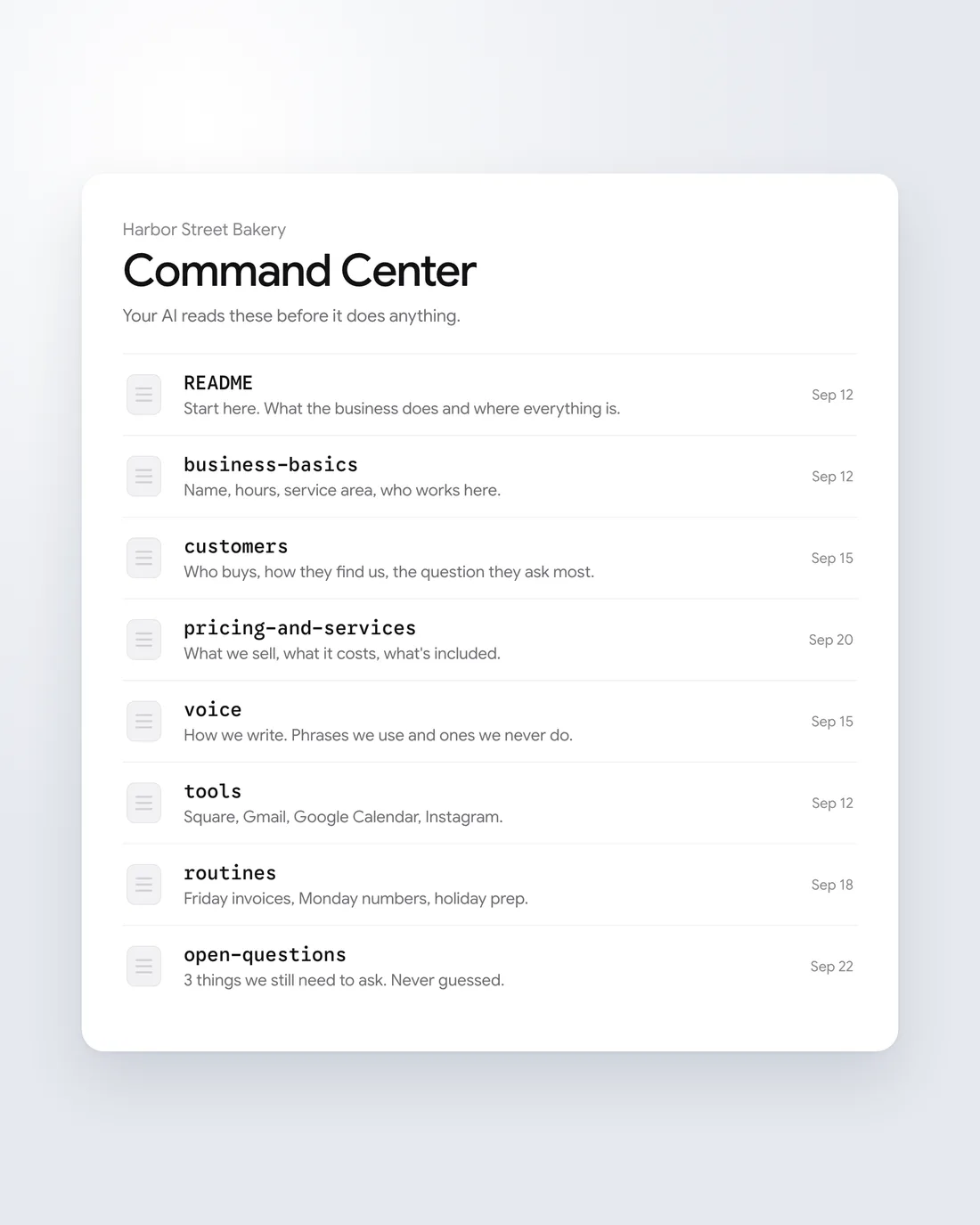
We write down how your business runs, in a place your AI can read. That's your Command Center.
It covers what you sell and how you price it, who your customers are, how you talk to them, the tools you use, and the things that happen on a schedule. Each topic gets its own short page, so your AI finds the right facts fast.
When we can't answer something, it goes on a list of open questions. We don't guess, because a wrong fact in the Command Center turns into a wrong email later.
Step 3
Automate
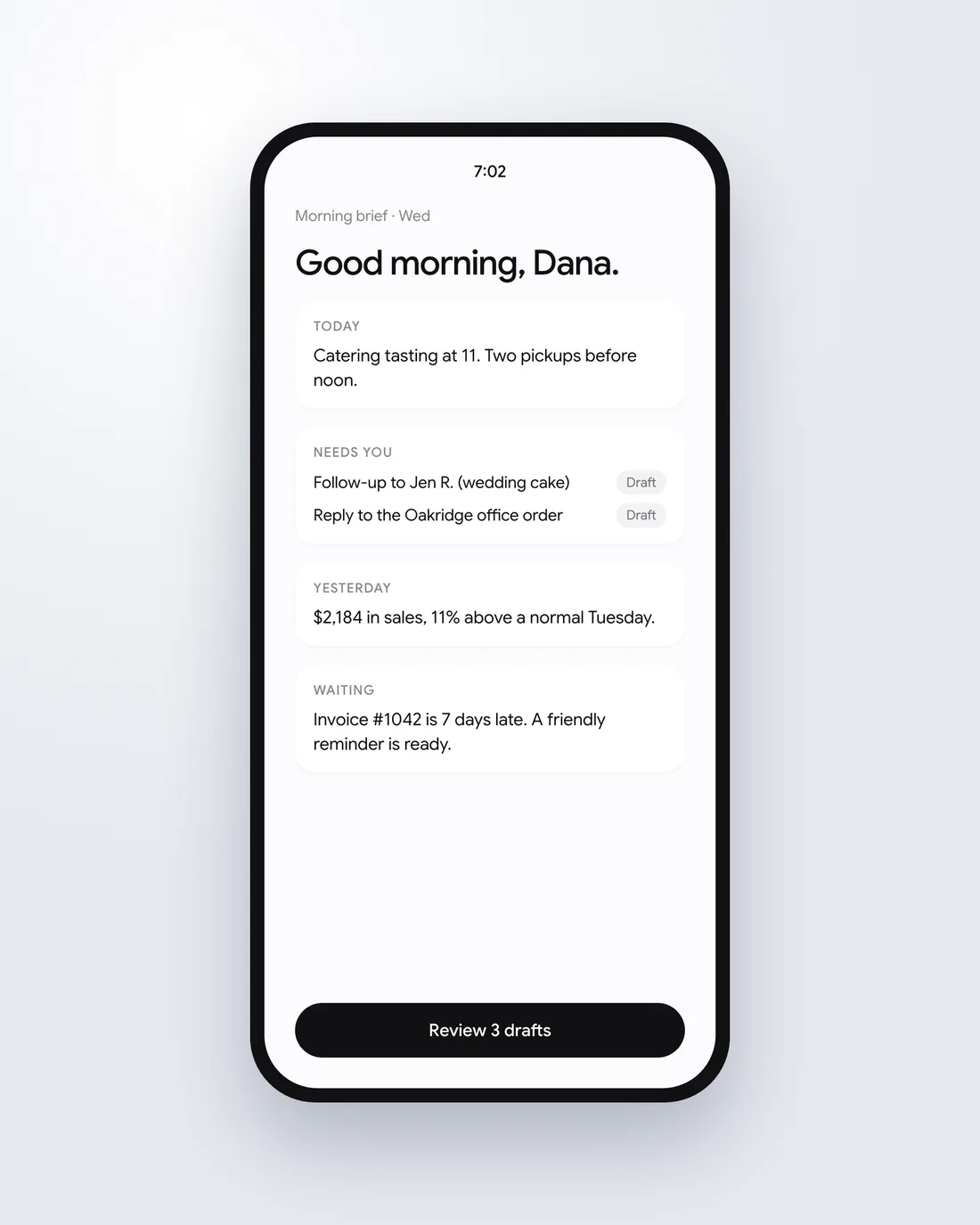
We connect the Command Center to the AI you already use and give the recurring jobs a schedule.
That might be a short brief waiting for you each morning, follow-ups drafted for you to approve, and a report every Monday with the numbers you watch. The add-ons you pick, like SEO or a content routine, run the same way.
The scheduled jobs run in the cloud, so they keep going when your laptop is closed.
Your part
What we need from you
A Claude or ChatGPT subscription. The regular paid plan is enough.
About an hour of your time for the first real conversation, and short check-ins while we build.
Access to the tools you want connected, like your email and calendar. You grant it, and you can take it back.
Pricing
How pricing works
We scope it on a 30-minute call, then send you a quote for the setup and the add-ons you pick.
If you want us to keep it running and add to it over time, that's a separate monthly plan.
Questions about the process
How long does setup take?
It depends on how many jobs you want handled. One routine is quicker than a full Command Center with several add-ons.
You get a timeline with the quote, after the first call.
Will it send things without asking me?
Only if you tell it to. Anything that goes to a customer starts as a draft you approve.
Once you trust a routine, you can let it run on its own. That's your call, job by job.
What if my business changes?
You update the Command Center, and your AI works from the new version the next time it runs.
If you're on a monthly plan with us, we make those updates for you.
Start with one job.
Tell us the task you'd most like to stop doing. We'll tell you how we'd hand it to your AI.